
Create your account
Signing in with a magic link, and university access.
CBT Trainer uses magic links — there is no password to remember.
Sign up
- Tap the Session tab at the bottom of the screen to reach sign-in.
- Enter your email address. If your university partners with us, use your
institutional address (for example one ending in
@ucl.ac.uk) to get unlimited free access as a student. - Check your inbox. The link usually arrives within 2–5 minutes.
- Tap the link to verify your account and return to the app.
Link not arriving?
Check your spam or junk folder first, and confirm the address you typed. If it still has not arrived after ten minutes, request a new link — older links stop working once a new one is issued.
Signing in on another device
Repeat the same steps with the same email address. Your sessions and competence history follow your account, not your device.
Settings
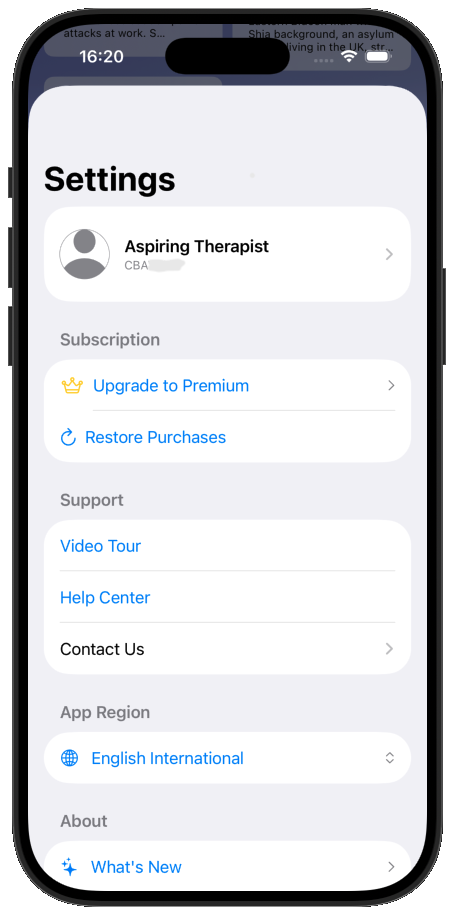
Open Settings from the button in the top-left of the Patient tab. From here you can watch the video tour, reach the Help Center, contact us, set your app region, and manage your subscription and account.
Managing your subscription
Subscription pricing and options appear under Manage Subscription in Settings.
Deleting your account
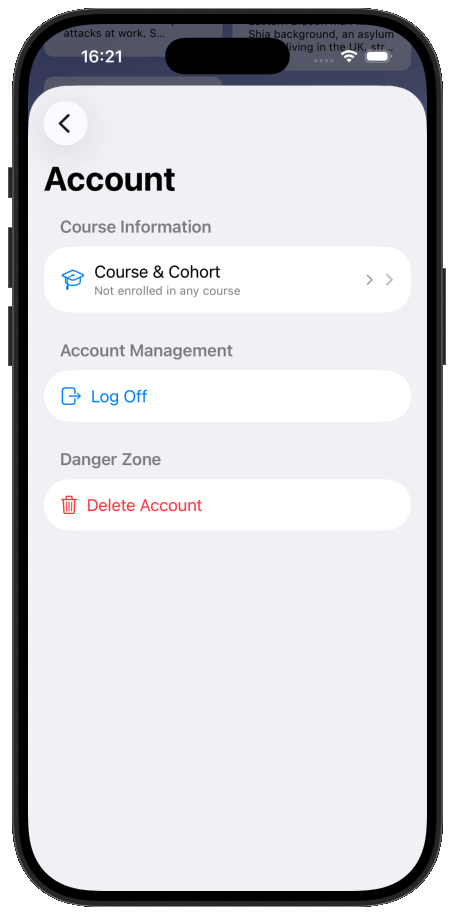
In Settings, tap the Aspiring Therapist account header, then Delete Account.
This cannot be undone
Deleting your account is not recoverable. Your subscription and all your progress will be lost.