
Competences and ratings
How feedback works, and how to read it.
Feedback in character roleplay is organised around a competence scale — the framework your practice is assessed against.
Choosing a competence scale
When you open a character, the app defaults to CTS-R. To choose another, browse the full library of scales, filtering by modality, programme, or stage, and pick the one that suits your course.
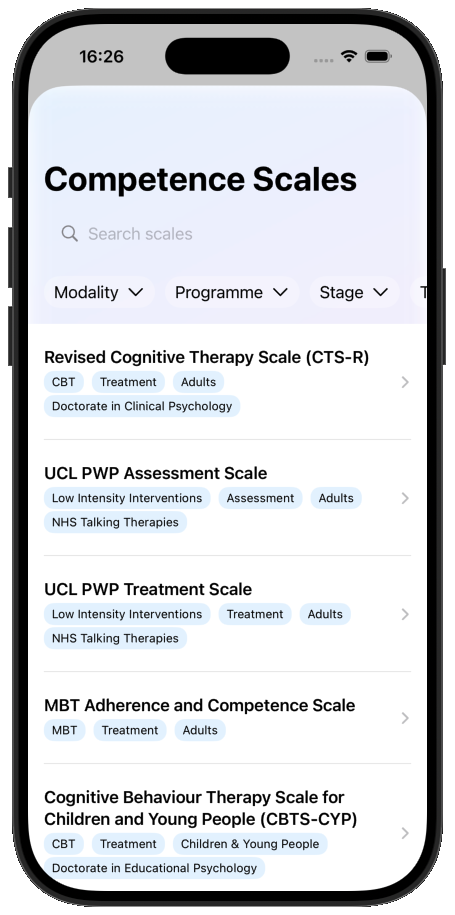
Common choices:
- CTS-R — Revised Cognitive Therapy Scale, a good general default for CBT courses.
- UCL PWP Assessment / Treatment Competence Scale — for PWP trainees.
The Competences page
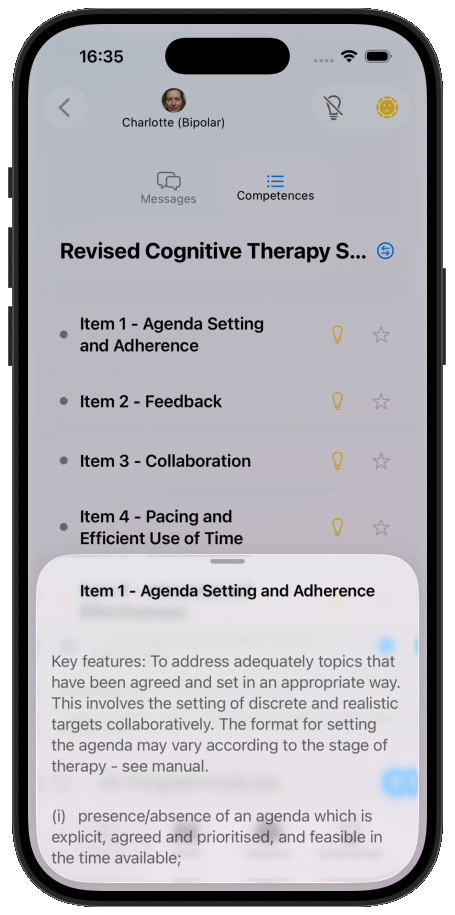
During a session, swipe left or tap Competences to open the competence list for your scale. Tap any competence to read a description of what it covers.
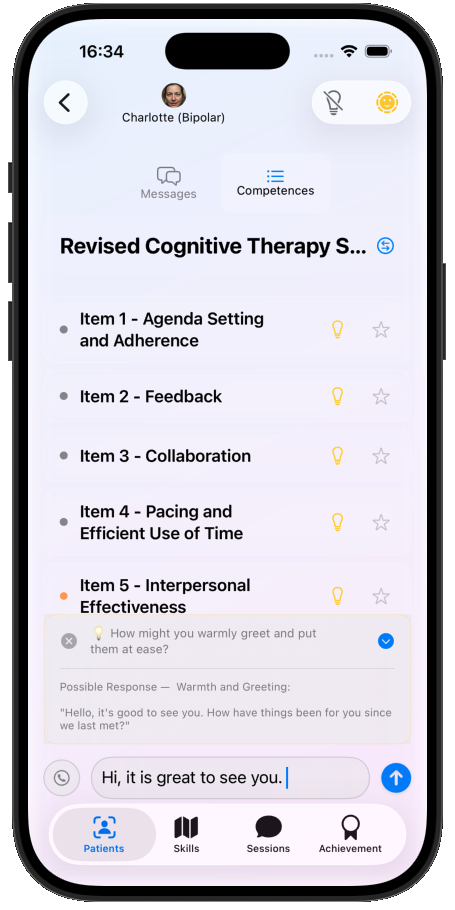
Use the lightbulb 💡 to request a tip for that specific competence.
Requesting a rating
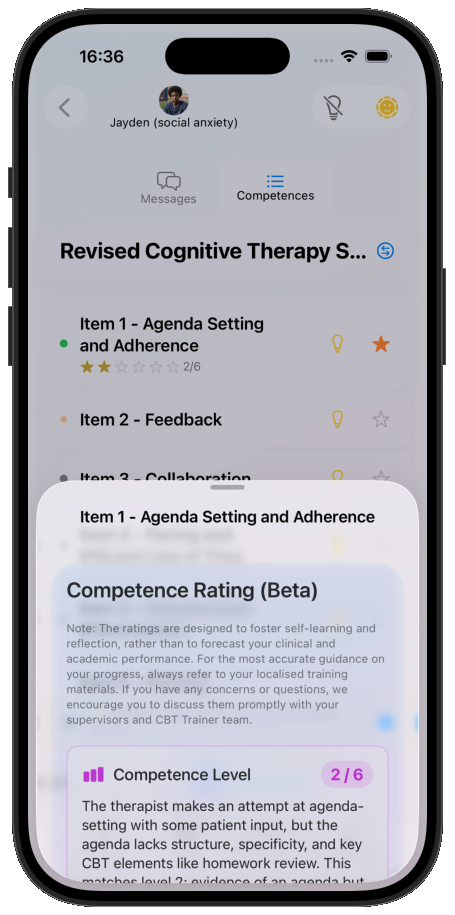
Tap the star to request a rating for a competence. It usually takes about a minute to come back, then appears on the competence item.
Reading the status lights
A small light next to each competence tells you its status at a glance:
- 🟢 Green — already rated.
- 🟠 Orange — recommended to demonstrate in the current context.
- ⚪️ Grey — neither of the above.
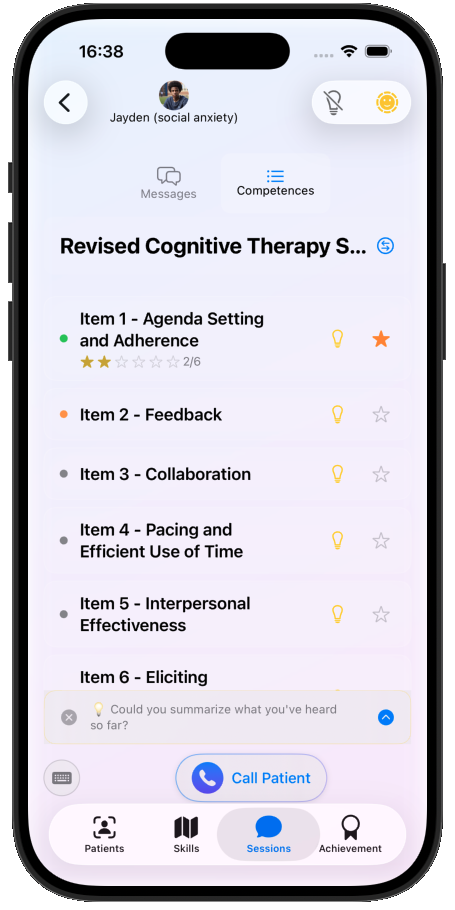
Switch which competence you're viewing with the ‹› button.
Overall assessment and anchored feedback
New in v1.7.0
The detailed rating screens below — an overall assessment, and the ability to trace a rating back to the exact therapist utterance that anchors it — are new in CBT Trainer v1.7.0, arriving on the App Store in August 2026. Until the update reaches you, ratings may look a little different.
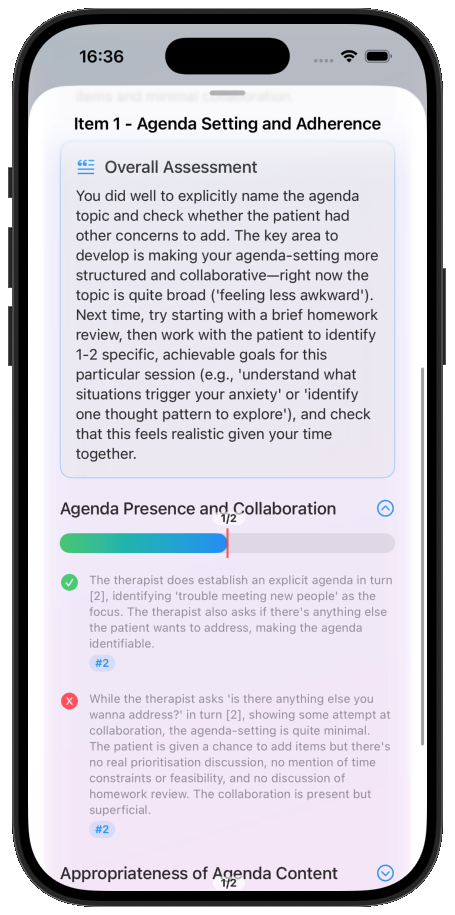
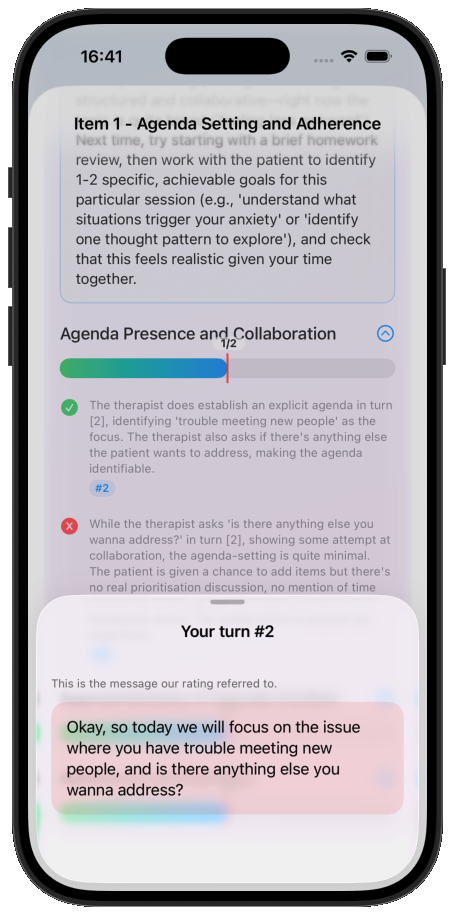
Open a rating to see the overall assessment with narrative feedback, plus a bar of more granular feedback. Tap the ^ icon to expand the binary granular items, and tap a # to jump to the specific sentence that anchors that rating.
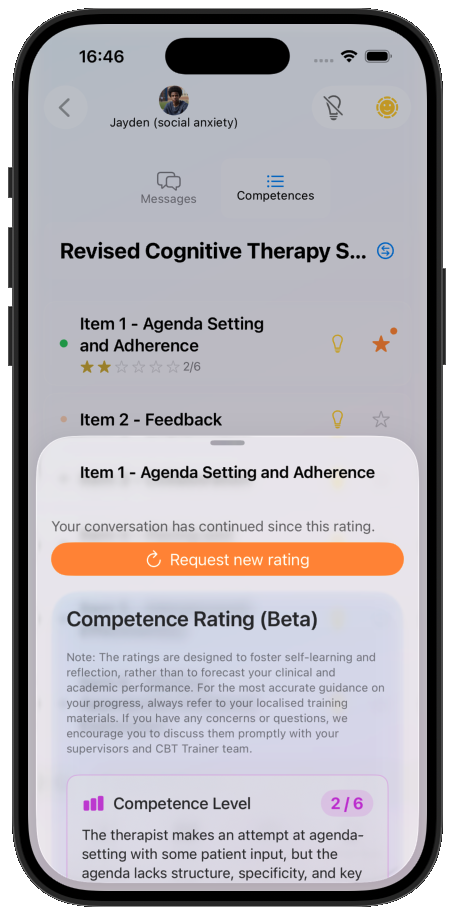
As the conversation moves on, a Request new rating button appears so you can re-rate against your more recent turns.
Feedback is experimental
AI competence feedback can be inaccurate. Treat it as a prompt for reflection rather than an assessment. Apply your clinical judgement, disagree with it when it is wrong, and take anything that concerns you to your tutor or supervisor. Ratings in CBT Trainer are not part of your course assessment.
Tracking progress
Your ratings accumulate across sessions so you can see which competences are developing and which need deliberate practice — see Sessions and progress.